There may be times when you want to attach background documents to an evaluation so they will be readily available in the future, such as a map of target area boundaries for a neighborhood evaluation, or a Word document that explains the methodology for how you selected specific properties for observations. SMDS allows you to attach documents to an evaluation by uploading them to the evaluation.
- Log in to the Success Measures Data System (SMDS).
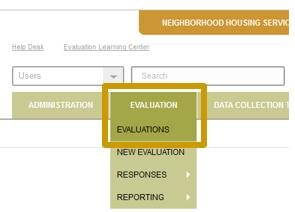
- Place your cursor over Evaluation.
- Click Evaluations.
- Click the evaluation you’d like to upload documents to.
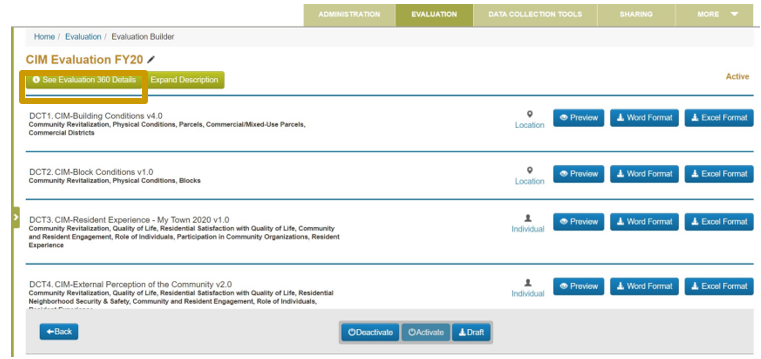
- Once in the evaluation, click the See Evaluation 360 Details button.
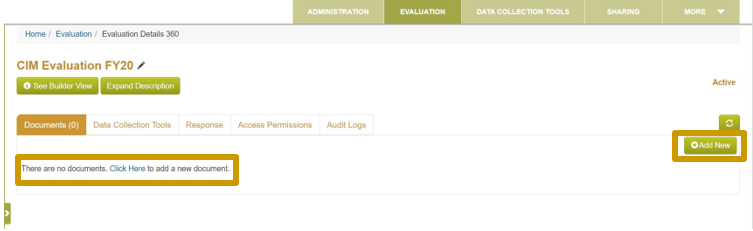
- Under the Documents tab, click the green Add New button, or the Click Here hyperlink below.
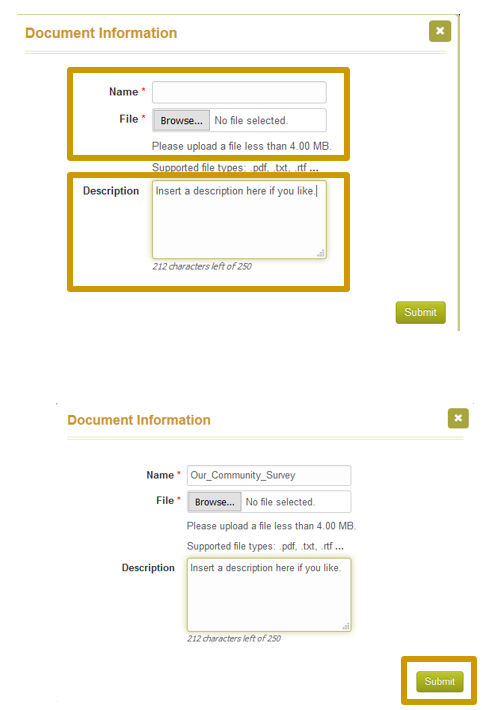
- Choose a file from your computer to upload. Be sure to add a description of the file being added so you’ll be able to easily locate the file later.
- Click Submit.
il
Submit
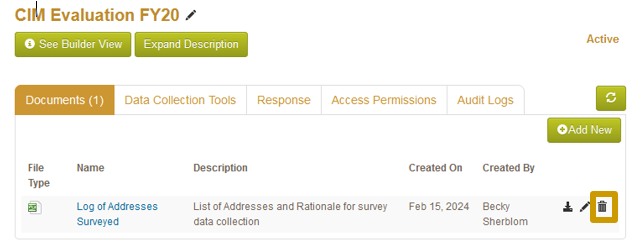
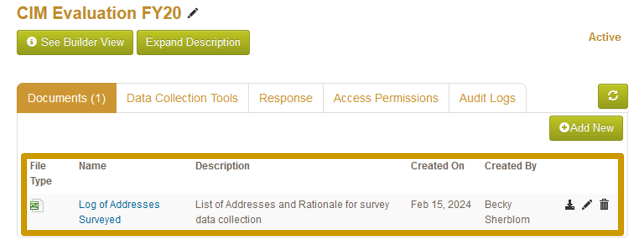
Once the document has been uploaded, you will be able to see it on a list on the Documents Tab, and can access it by clicking on the Name, or by clicking on the download icon to the right.
- Repeat for all relevant documents.
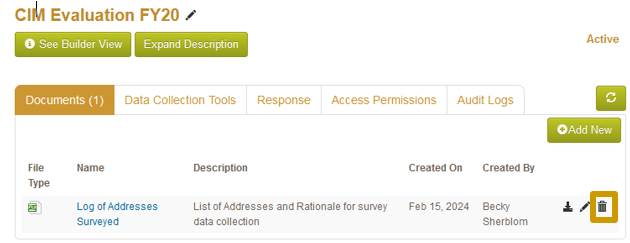
- If a document becomes out of date, you can upload a replacement document and delete the old one by clicking on the trash can to the right of the specific document.
Was this article helpful?
That’s Great!
Thank you for your feedback
Sorry! We couldn't be helpful
Thank you for your feedback
Feedback sent
We appreciate your effort and will try to fix the article