Logging In
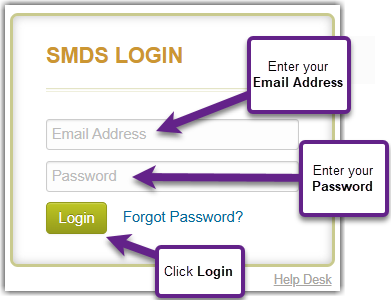
- Go to https://smdsv2.successmeasures.org

- Enter your Email Address. Enter your Password. Your password will be provided by Success Measures or by your organization.
- Click on Login.
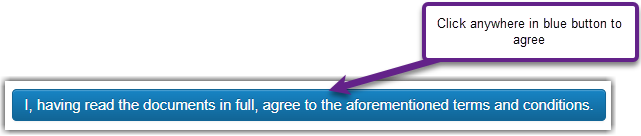
- The first time you log into SMDS, the Terms of Use and Conditions screen appears. Please read and scroll down to the end of the page.
- When ready, click the blue button to agree to the aforementioned Terms and Conditions.
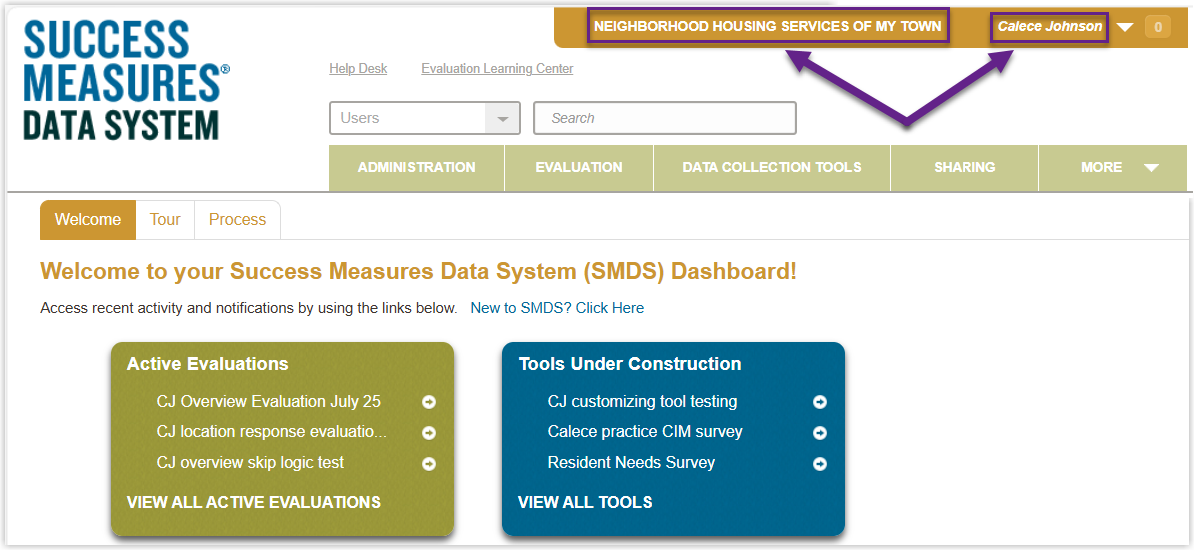
The SMDS dashboard window appears. The user has successfully logged into SMDS. Your organization’s name and your name will appear in the top right corner.
Recover Password
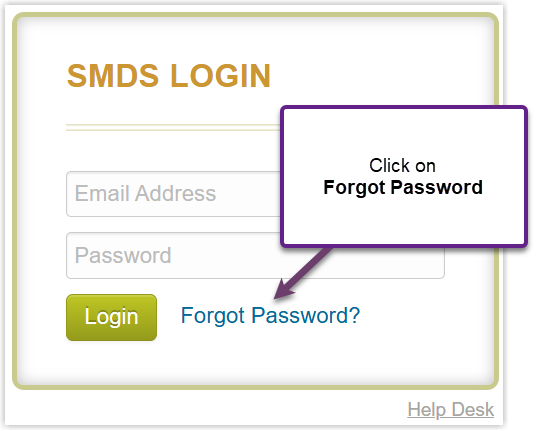
- If you forgot your password, click Forgot Password on the home screen.
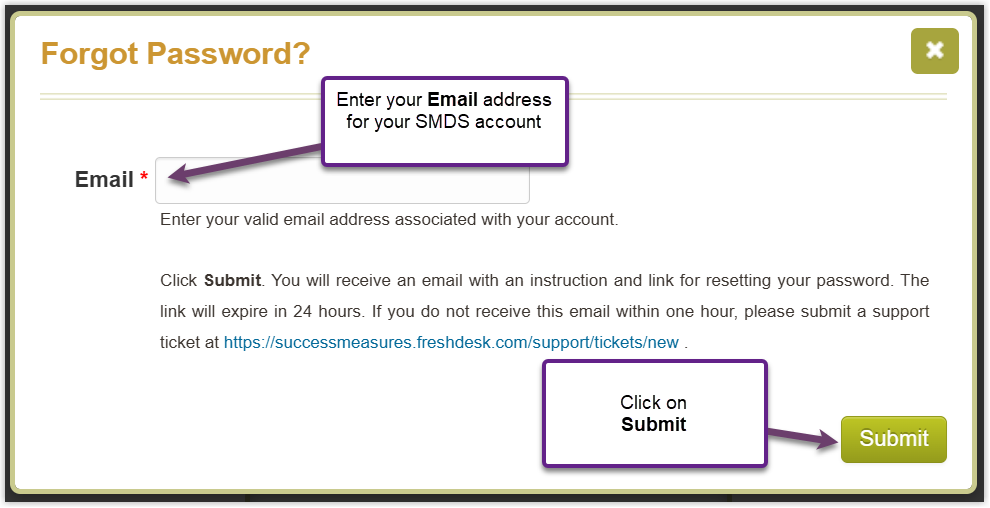
- Click within the text field after Email to enter your email address associated with your SMDS account and click on Submit.
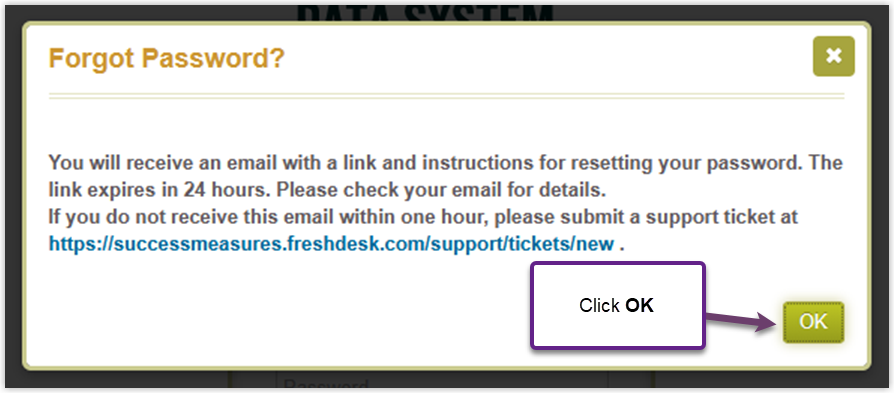
- A pop-up window is displayed, confirming your request to reset your Password.
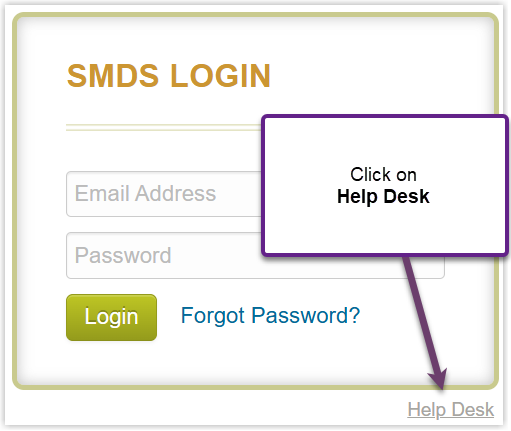
- If you do not receive the reset password email within an hour, submit a support ticket by clicking Help Desk.
Reset Password
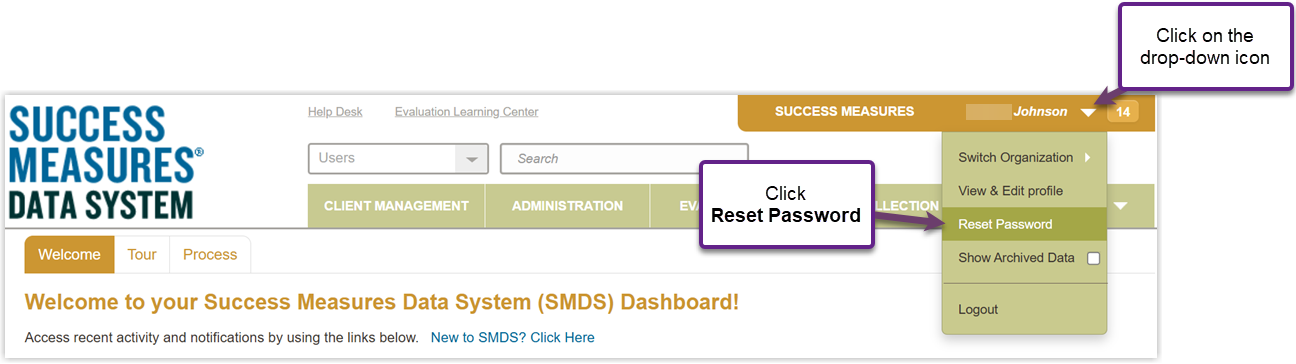
- If you would like to reset your password, click on the drop-down icon to the right of your name. Click Reset Password.
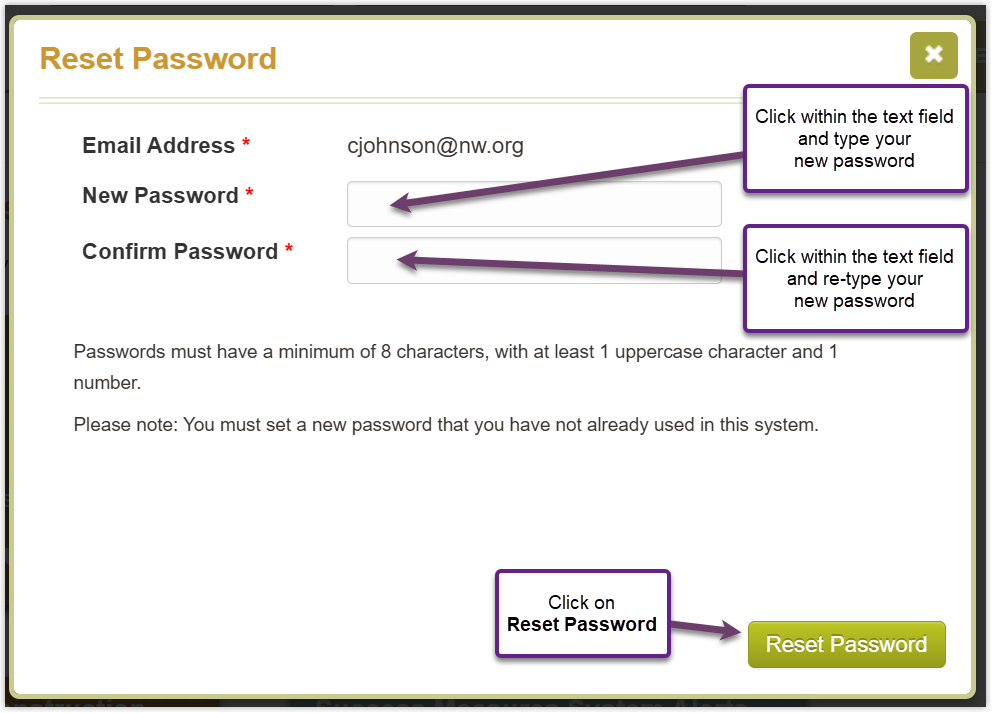
- Click within the New Password text field and type your new password. Remember, your password needs to be at least 8 characters and include 1 uppercase letter and 1 digit. Retype your new password in the Confirm Password field. Click on Reset Passwordto complete the reset.
Was this article helpful?
That’s Great!
Thank you for your feedback
Sorry! We couldn't be helpful
Thank you for your feedback
Feedback sent
We appreciate your effort and will try to fix the article