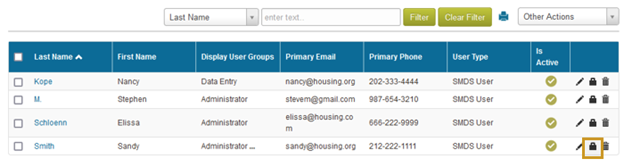
- To reset a user password, click the Lock icon to the right of that user’s name.
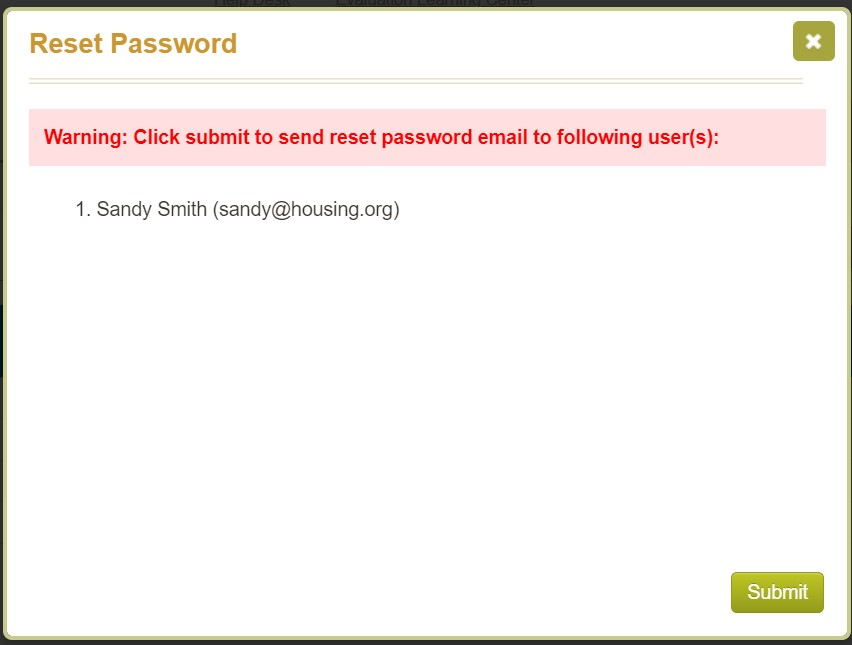
A Reset Password dialogue box will appear to give a final warning regarding this action.
- Click the Submit button.
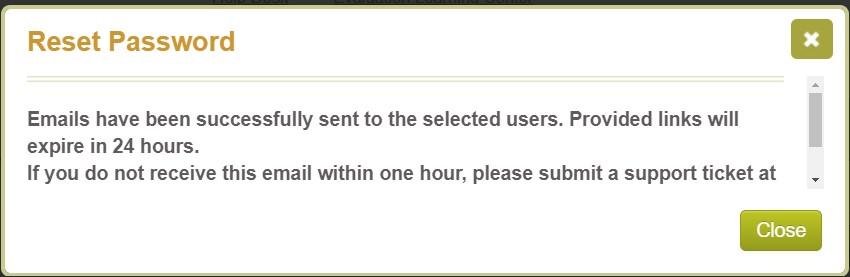
A dialogue box will appear to show the email has been sent to the user.
- Click the Close button.
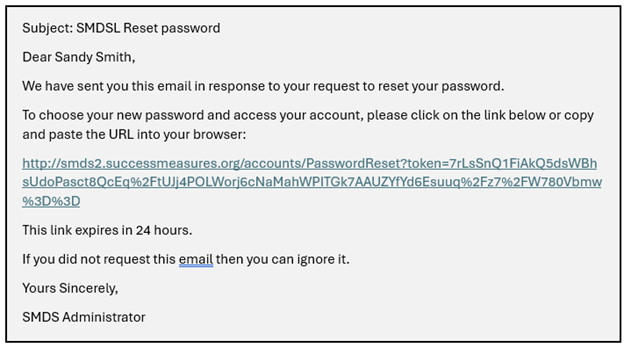
Below is the email sent to the user whose password has been reset. They have 24 hours to respond by clicking the link within the email.
Was this article helpful?
That’s Great!
Thank you for your feedback
Sorry! We couldn't be helpful
Thank you for your feedback
Feedback sent
We appreciate your effort and will try to fix the article